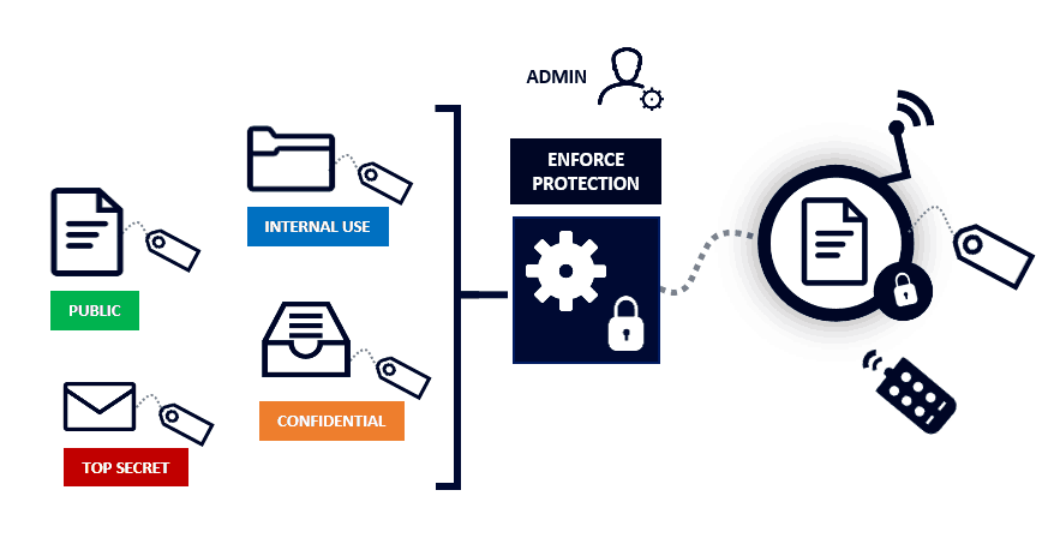
File issues can slow a deal before review even starts. Wrong labels, duplicate copies, and loose folders create doubt across the team. A data room helps keep records in order from upload to archive. This article covers how classification, access rules, and version control can prevent file mismanagement.
Start with a Clear File Logic
A data room works best when files follow one clear logic. An ideals data room setup, for example, may include document classification and multilingual indexing for better file order.
This helps teams sort contracts, accounts, tax files, HR records, and legal notes.
It also makes review less dependent on one admin who knows every folder.
The first step is to define categories before files enter the room. Use practical labels such as finance, legal, tax, HR, property, and operations. Keep old drafts apart from signed or approved records. This simple split can reduce search errors during due diligence.
Use Labels That Match Review Needs
Classification should match how reviewers think. A buyer may search by topic, while a lawyer may search by file type. Finance teams may need dates, periods, and approval status. Clear labels help each group find records without extra emails.
Avoid clever internal names that outside parties may not understand. Use plain file titles with dates, version numbers, and final status where needed. A service provider should explain setup, support, and archive terms without vague claims. Clear support helps if folder rules need quick correction.
See also: Stress Less, Live More: 10 Relaxation Techniques Unveiled
Simple Label Rules for Deal Files
Strong labels do not need complex wording. The goal is fast recognition and fewer wrong clicks. Use the same style across every folder. That gives the room a steady file rhythm.
- Add dates to reports, statements, and contracts.
- Mark drafts and final files in the title.
- Use client, asset, or project names where useful.
- Remove duplicate copies before upload.
Control Access by File Class
Document classification also helps with access rights. Sensitive records can sit in restricted classes, while general records stay open to wider review. HR data, IP files, and board notes may need tighter control. This helps reduce unwanted exposure during a deal.
Permissions should match each class of document. Legal advisers may need contracts, while tax advisers need financial reports. External bidders may see approved files only after review by the deal team. For example, an ideals data room setup may include role-based document permissions, user activity records, and audit trails to support secure VDR control.
Track Versions and Activity
File mismanagement often starts when old and new versions sit together. Version control helps teams know which document is current. It also reduces the risk of review based on outdated records. Final files should have a visible status in the room.
Activity reports add another layer of control. They show who viewed files, which records drew attention, and which sections stayed quiet. Such reports may help improve follow-up during due diligence. Teams can use a simple checklist to keep version control practical:
- Mark final files clearly before review starts.
- Remove old drafts from active folders.
- Check activity reports for unusual access.
- Save version history with the final archive.
File mismanagement rarely comes from one big mistake. It usually starts with unclear names, mixed drafts, loose access, or missing records. Classification tools help by adding order to each file from upload to final archive. With plain labels, firm permissions, version control, and clear reports, a data room can support a cleaner deal review.